
Automate Receipt Data Extraction with Our OCR API
Snap a photo of a receipt, or upload a scan, and get back the merchant, items, and totals in seconds. Our Receipt OCR API reads thermal receipts, scans, and mobile photos, returning clean, structured JSON for your accounting or expense platform.
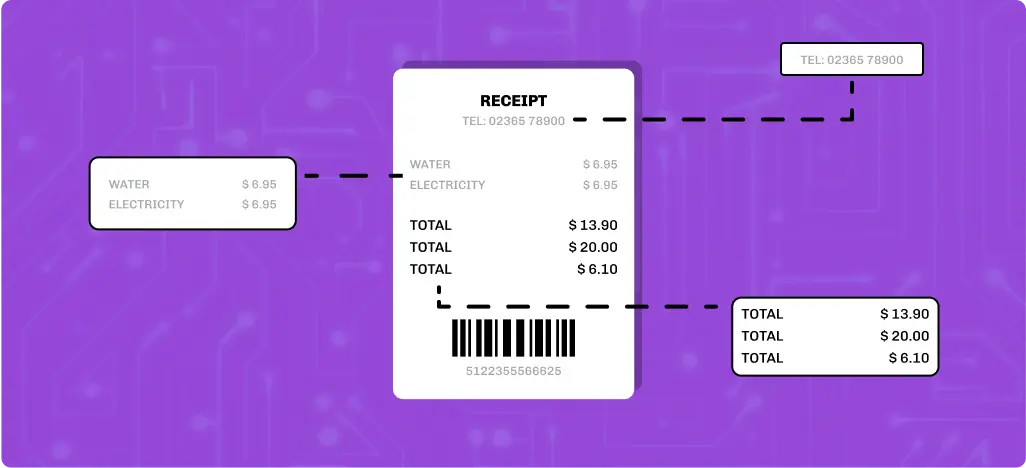
How the Receipt OCR API Works
Step 1: Send the File

Step 2: The API Reads the Receipt
Step 3: Receive Structured JSON
					{
    "success": true,
    "data": {
        "merchant": "GROCERY MART",
        "date": "2023-05-15",
        "time": "10:23 AM",
        "receipt_id": "GR-5678",
        "total": 13.78,
        "subtotal": 12.76,
        "tax": 1.02,
        "tax_rate": 0.08,
        "items": [{
            "name": "Milk 1gal",
            "price": 3.99
        }, {
            "name": "Bread",
            "price": 2.49
        }, {
            "name": "Eggs (12)",
            "price": 3.29
        }, {
            "name": "Apples 1lb",
            "price": 2.99
        }],
        "payment_method": null,
        "cashier": "John"
    }
}
Test the Receipt OCR API for Free Now!
Why Choose Our Receipt OCR API?
Built for Thermal Receipts
Handles Handwritten Additions
Works Across Formats
Response in Seconds
Structured JSON Output
Simple REST Integration
What Problem Does the Receipt OCR API Solve?
- Employees retype every line from a crumpled receipt just to file an expense
- Bookkeepers squint at faded thermal paper to confirm a total
- Repair shops manually log supplier receipts before job costing can start
- Every manual entry is a chance for a transposed number to slip through
What Data Can You Get With the Receipt API?
Here’s what you can expect to see:
Merchant Information
- Merchant Name
- Merchant Address
- Merchant Phone Number
- Merchant Website or URL
- Cashier Name or ID
- Store or Register ID
Receipt & Payment Details
- Date of Purchase
- Time of Purchase
- Receipt Number / Invoice ID
- Payment Method
- Last 4 Digits of Card Number
- Currency Type
- Subtotal
- Tax Rate
- Tax Amount
- VAT / GST Breakdown
- Total Amount
- Discounts Applied
- Coupons
Purchased Items
- Item Names / Product Descriptions
- Item Quantity
- Item Unit Price
- Item Total Price
- Item Category (e.g., Grocery, Electronics)
Additional Information
- Loyalty Program Information
- Loyalty Points Earned or Used
- Location Coordinates (if embedded)
- Barcodes or QR Codes
- Return Policy or Warranty Information
- Signature (from scanned receipts)
Supported Input Types
Supported Receipt Types
- Thermal receipts
- Digital receipt scans
- Mobile phone photos of printed receipts
- Emailed digital receipts saved as images or PDFs
Supported File Formats
- JPG
- PNG
Supported Image Sources
- Mobile phone camera photos
- Scanned documents
- Uploaded files
- Any image containing a legible receipt
How the Receipt OCR API Fits Your Workflow
Receipt data shows up in more places than expense reports. Here’s where this API proves its value:
Expense Management Platforms
Auto Repair Shops
Fleet Fuel Tracking
Corporate Travel Programs
Retail and Vendor Reconciliation
Accounting and Bookkeeping Firm
Manual Process vs. Receipt OCR API
Reading a receipt by hand feels quick for one transaction. It stops feeling quick the moment there are fifty of them sitting in an inbox. Here’s what actually changes when the process is automated instead.
| Manual Process | Receipt OCR API | |
|---|---|---|
| Speed | One at a time, at reading pace | Under 5 seconds per receipt |
| Consistency | Varies by who's entering it | Same fields, every time |
| Faded or thermal receipts | Often misread or skipped | Built to handle low-contrast printing |
| Volume | Breaks down past a handful per day | Handles hundreds without slowing down |
| Output | Notes, spreadsheets, or memory | Structured JSON, ready to use |
| Where errors happen | Transposed numbers, missed lines | Consistent extraction logic |
| What it takes to scale | More staff hours | Nothing, it's the same API call |
Production-Ready API Features for Developers
- REST API endpoint
- Structured JSON responses
- Secure API key authentication
- Support for PDF, JPG, and PNG
- Fast response times
- Clear, documented parameters
- Sample requests and responses
- Consistent error responses
- Production ready infrastructure
- Dedicated technical support
Combine With Other Vehicle Databases APIs
Extract structured invoice data from images, scans, and PDFs.
Extract VINs from images, documents, and window stickers.
Retrieve factory-recommended maintenance schedules by VIN in seconds.
Access accident, title, ownership, mileage, and other history records.
Decode any standard VIN to retrieve detailed vehicle specifications.
Retrieve vehicle information from a license plate number.
Looking for custom integration? We’ll work with you to build a solution that fits your business needs.
Hear From Our Customers
Better experience... impossible


Easy to use, Excellent service

The support is top-notch

The Receipt OCR API Built for Your Business
Automate receipt processing with a fast, reliable API built for real-world applications. Sign up today, explore the documentation, and start testing with free API credits.
FAQs on Receipt OCR API
Can it read receipts printed on thermal paper that have started to fade?
Yes. The API is specifically built to handle low-contrast thermal printing, which fades and yellows over time far more than standard ink on paper.
Does it pick up handwritten tips added to a printed receipt?
Yes, handwritten additions like a tip line are extracted where legible, alongside the printed fields.
What if a receipt has no itemized list, just a total?
The API returns whatever structured data is present. If a receipt only shows a total with no line items, you’ll get merchant, date, and total without a populated items array.
Can it handle receipts in languages other than English?
Currently the API is optimized for English-language receipts. Contact our team if you have a specific need outside that.
Does it detect duplicate receipts?
No, deduplication isn’t handled by the API itself. That logic would need to run on your end after extraction, comparing fields like merchant, date, and total.
Will it work on a receipt photographed at an angle or with a shadow across it?
Yes, within reason. Accuracy holds up on moderately angled or partially shadowed images, though a clearer photo will always extract more reliably.
Can I submit a PDF instead of a photo?
Yes, PDF is supported alongside JPG and PNG.
How fast does a single receipt come back?
Typically under 500 milliseconds, fast enough for a live upload flow rather than a batch process.
Is there a free way to test it before integrating?
Yes, sign up for free API credits to test real requests before committing to a plan.
How is this different from a general document scanner?
A general scanner returns raw text and leaves you to figure out which line is the total or the tax. This API is trained specifically on receipt layouts, so those fields come back already labeled.