
OCR Scanner API for VIN, License Plates & Documents
Extract text from vehicle images in seconds. With our OCR scanner API , you can read VINs, license plates, receipts, and invoices from any image and get clean, structured data instantly.
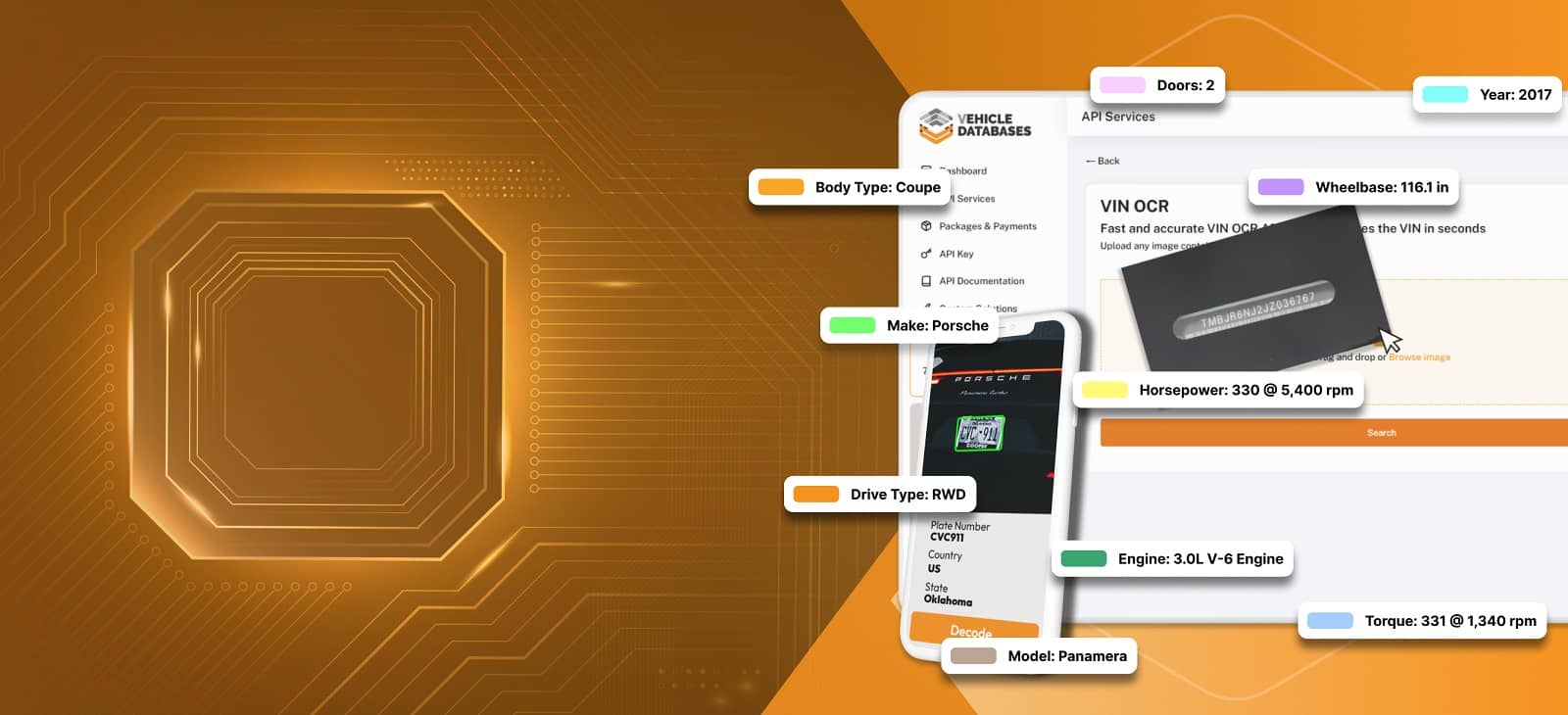
Advanced OCR Technology for Reading VINs and License Plates
When you’re working with image data, consistency matters just as much as accuracy. You want something that works every time, processes fast, and fits smoothly into your workflow without surprises.
Here is what makes our OCR APIs reliable enough to run in production:

99.99% Uptime
The API stays available when you need it, with reliable infrastructure that supports continuous operation.

High Accuracy OCR Recognition
Works with slightly blurry, angled, or low-light images without breaking your workflow.

Lightning-Fast Response
All image requests are processed in a few seconds, keeping your applications fast and responsive.

Simple REST API integration
Easy to connect with any platform using standard HTTP requests.

Structured JSON output
Every response is clean and consistent, making it easy to plug directly into your system.

Mobile-Ready Image Processing
Accepts images captured directly from mobile devices, perfect for on-the-go scanning.
What is an OCR Scanner API?
An OCR scanning API reads text from images and returns it as structured data your system can use directly. Instead of someone manually reading and typing what they see, the API does it automatically from any photo or scanned document your platform receives.
For automotive businesses, manual data entry has a real cost. A mistyped VIN creates inventory mismatches. A handwritten plate slows down vehicle check-in. Unprocessed receipts and invoices pile up. The OCR scanning API removes all of that friction.
Access Up to Four OCR APIs in One Platform
One integration, four extraction capabilities. Each endpoint accepts an image and returns structured JSON data specific to what it is built to read.
Our OCR APIs are:
VIN OCR API
The VIN OCR API reads the vehicle identification number from any image containing a VIN. Point it at a VIN sticker, a dashboard plate, a vehicle document, a title, or any photo where the VIN appears, and it returns the extracted VIN number as a clean string.
VIN OCR API JSON Response Sample:
					{
  "status": "success",
  "data": {
    "vin": "KMH8KNTEST1234567"
  }
}
License Plate OCR API
The license plate scanner API extracts the plate number and state or region from any license plate image. It supports both US and UK plates in the same endpoint, returning the plate number and the issuing state or country in every response.
JSON Response Sample (US):
					{
  "status": "success",
  "data": {
    "plate": "CN31613",
    "state": "IL"
  }
}
JSON Response Sample (UK):
					{
  "status": "success",
  "data": {
    "plate": "WJ59FHA",
    "state": "UK"
  }
}
Receipt OCR API
The Receipt OCR API analyzes any receipt image and extracts the text from it, whether the content is printed, handwritten, or typed. Submit a photo of a service receipt, a repair order, a parts invoice, or any retail receipt and get back the extracted text ready for processing, logging, or storage.
For automotive businesses, this is useful for:
- Service records
- Expense tracking
- Warranty documentation
Invoice OCR API
The Invoice OCR API reads and extracts information from any invoice image. All invoice types are supported. Submit a photo or scan of a supplier invoice, a dealer invoice, a service invoice, or any business document formatted as an invoice, and the API returns the extracted data in a structured response.
If you’re handling billing, fleet operations, or vendor management, this removes a big chunk of manual work.
How the OCR API Works
The process is simple and consistent across all endpoints.

Step 1: Send the Image
Submit a PNG, JPG, or JPEG image to the relevant endpoint via a GET request. The image can come from a mobile phone camera, an uploaded file, a document scan, or any image source your platform handles.

Step 2: We Analyse and Extract the Data
The system processes the image and identifies the relevant data based on the endpoint called.

Step 3: Receive Structured JSON Instantly
Your response arrives as a clean JSON object with the extracted data ready to map directly into your application. No post-processing, no cleanup required. That’s it.
Supported Image Formats and Input Types
Here are the supported image formats and input types you can use with the OCR APIs for smooth and reliable processing.
Supported File Formats
PNG
JPG
JPEG
Supported Image Sources
Mobile phone camera photos
Scanned documents
Dashboard photographs
Uploaded files
Document images
Any image containing the relevant data
Try Out Our OCR Scanner APIs For Free!
Drop any image below and see what the API extracts from it in seconds . Upload a VIN sticker photo, a license plate image, a receipt, or an invoice. No account, no credit card, no commitment.
Start Scanning Images Without Writing a Single Line of Code
Not everyone wants to jump straight into API integration. Sometimes, you just want to test things, see how they work, or even use them as-is without building anything around them.
Once you sign up, you can use these APIs directly from your dashboard. Just upload an image and get instant results.
Scan VINs with VIN OCR, read plates, or extract data from receipts and invoices. Simple, fast, and ready to use.
Real Problems the OCR APIs Solve
Manual data entry costs more than most teams realize. Here is where that shows up across automotive workflows and how the API fixes it.
Car Dealerships
VIN Entry Errors Causing Inventory Mismatches
Problem: A single incorrectly typed character in a VIN creates a mismatch that flows through every system that touches that record.
Solution: Use the VIN OCR API to extract the VIN directly from the sticker or dashboard photo and push the correct value into inventory automatically.
Parking and Fleet Platforms
Manual Plate Entry Slowing Down Vehicle Intake
Problem: Every vehicle that gets logged manually adds seconds that compound into hours across a fleet.
Solution: Use the license plate scanner API to extract the plate number and state from a photo taken at intake and populate the record instantly.
Auto Repair Shops
Receipts and Invoices Piling Up Unprocessed
Problem: Paper receipts and supplier invoices that sit unprocessed delay accounting, parts tracking, and job costing.
Solution: Use the Receipt OCR and Invoice OCR APIs to extract document content from photos and push it into your accounting or shop management system automatically.
Rental Car Companies
Vehicle Check-In and Check-Out Takes Too Long
Problem: Staff manually recording plate numbers and VINs at vehicle handover creates bottlenecks at busy periods.
Solution: Capture a photo at handover and let the OCR scanning API extract the plate and VIN instantly without any manual input.
Insurance Platforms
Document Processing from Photos Delays Claims
Problem: Claims that require receipts, invoices, or vehicle documents to be manually reviewed slow down settlement.
Solution: Use the OCR APIs to extract structured data from submitted document photos and feed it directly into the claims workflow.
Auto Auction Platforms
Capturing VINs and Plates at Speed Across Hundreds of Vehicles
Problem: High-volume auction environments cannot afford the time it takes to manually record vehicle identifiers one by one.
Solution: The VIN scanner API processes an image and returns the VIN in seconds, enabling rapid vehicle intake without a dedicated data entry team.
OCR API vs. Manual Data Entry
A single VIN error in a dealer management system can cause mismatches across systems and take time to fix, while a VIN number OCR API extracts it correctly in seconds.
Here is what changes when you automate data collection:
| Feature | Manual Data Entry | Vehicle Databases OCR API |
|---|---|---|
| Speed per record | Minutes | Seconds |
| Error rate | High, human error | Near zero |
| Scales with volume | No | Yes |
| Works from mobile camera | No | Yes |
| Structured JSON output | No | Yes |
| Integrates into existing systems | Manual export required | Yes, directly |
| Staff required | Yes | No |
How Detailed Vehicle History Improved Their App with OCR APIs
Detailed Vehicle History is one of the leading vehicle history report platforms in the US, serving buyers, sellers, dealers, and auction houses. When they set out to build a scan-to-report feature for their iOS and Android app, manual VIN entry was costing them conversions and accuracy.
They integrated the Vehicle Databases OCR scanning API, and the results were immediate.
VIN processing time, down from 10+ seconds
Increase in conversions after integration
Reduction in manual entry errors
The same OCR scanning API is available to any platform building scan-based vehicle workflows.
Why Developers Choose Vehicle Databases OCR
Here is what separates the Vehicle Databases OCR scanning API from every alternative:
Four extraction types in one platform under one API key
Structured JSON output ready for any application layer
PNG, JPG, and JPEG support across all endpoints
US and UK license plate support in the same endpoint
Simple POST endpoints that integrate in under a day
Works from mobile camera images taken in real-world conditions
99.9% uptime SLA for platforms running continuous image processing
Dedicated developer support and clear documentation
APIs That Pair Naturally with the OCR Suite
The OCR suite works even better when paired with other APIs. Once you extract data from images, you can plug it straight into these APIs:
Pair plate OCR with the license plate lookup API to go from image to full vehicle record in two calls.
For pre-1981 vehicles with non-standard VINs, pair OCR extraction with the classic decoder for full spec coverage.
Full technical specs by year, make, model, and trim. A natural next step after VIN extraction and decoding.
After extracting the VIN, you can get private party, trade-in, and dealer retail market values by VIN.
Original Monroney label data by VIN. Pair with VIN OCR for a complete factory data workflow starting from a single image.
Check Out Real Feedback from Live Implementations
After integrating the API into real systems, teams start seeing measurable improvements in speed, accuracy, and daily operations. Here’s what they have to say:


Turn Images Into Usable Data in Seconds!
Submit your first image and get structured data back in seconds. No complex setup, just clean JSON ready to use in your platform. Need the data without the integration? Need bulk data instead? Download the full Vehicle Databases dataset and start working with it immediately.
FAQs About the OCR Scanner API
How accurate is an OCR API for scanning VIN numbers?
The Vehicle Databases VIN number OCR API is built specifically for automotive image types including VIN stickers, dashboard plates, door jambs, and vehicle documents. Accuracy is near perfect on clear images and remains reliable on images taken in real-world conditions from a mobile phone camera.
Can an OCR API read license plates from images?
Yes. The license plate scanner API extracts the plate number and state from any license plate image. Both US and UK plates are supported by the same endpoint. Submit a photo of the plate, and the API returns the plate number and issuing state or region as a structured JSON response.
What's the best API for scanning vehicle documents?
The best API for scanning vehicle documents is the Vehicle Databases’ OCR scanning API suite. It covers the most common vehicle document types. The VIN OCR endpoint handles VIN stickers, dashboard plates, and vehicle title and registration documents. The Receipt OCR and Invoice OCR endpoints handle service receipts, parts receipts, and all standard invoice formats.
How does OCR help automate data entry for car dealerships?
Dealerships use the VIN scanner API to capture VINs at vehicle intake by photographing the sticker or dashboard rather than typing the number manually. The extracted VIN feeds directly into inventory management, DMS, and history report workflows without any manual input.
The same approach works for license plate capture, receipt logging, and invoice processing.
Is there an API to scan VINs from a mobile phone camera?
Yes. The VIN OCR API accepts images taken on a mobile phone camera. Submit the image as a PNG, JPG, or JPEG file and the API extracts the VIN from it. Detailed Vehicle History uses this exact workflow in their iOS and Android apps to power their scan-to-report feature.
How fast can an OCR API process an image?
The Vehicle Databases OCR scanning API returns results in seconds. Response time depends on image size and network conditions but is fast enough to power live scan experiences in mobile apps and web platforms without any perceptible delay.
Can OCR work on blurry or low-light images of license plates?
Yes, a license plate scanner API can still detect plates in slightly blurry or low-light images, though clearer images will improve accuracy.
What are the common uses of OCR in the automotive industry?
The most common uses of the OCR scanning API in automotive include VIN capture at dealer intake, license plate recognition for fleet and parking management, receipt and invoice extraction for repair shop accounting, document scanning for insurance claims, and scan-to-report features in vehicle history apps.
How do I integrate an OCR scanner into my website or app?
You can integrate an OCR scanner API by sending images via REST API requests and receiving structured JSON responses that your system can process.
Full documentation and code examples for common languages are available in the developer docs. Most integrations go live within a day. You can send a message via live chat if you need any assistance with integration or contact us.
Is the OCR data returned as structured JSON?
Yes. Every endpoint in the OCR scanning API suite returns a structured JSON response. The VIN OCR endpoint returns the extracted VIN string. The license plate scanner API returns the plate number and state. The Receipt and Invoice OCR endpoints return the extracted text.