Key Takeaways
- OCR turns images into searchable, editable data. It extracts text from scanned documents, photos, and PDFs, making information easy to search, edit, and process automatically.
- OCR powers automation across many industries. From invoice processing and ID verification to VIN scanning, license plate recognition, and car title processing, OCR reduces manual work and improves efficiency.
- OCR works best with high-quality documents. While it saves time and reduces errors, its accuracy depends on factors like image quality, document layout, and whether the text is printed or handwritten
What Is OCR?
Basically, OCR stands for Optical Character Recognition. In plain terms, it is a technology that converts text trapped inside an image into machine-readable, editable text.
When you scan a document, take a photo of a form, or snap a picture of a receipt, your device saves that file as an image. You can’t open it in a text editor or search it for a keyword, because as far as your computer is concerned, it’s just pixels.
OCR technology is what bridges that gap, reading the shapes on the page and converting them into actual text your software can store, search, edit, and process.
This is the foundation of what OCR software is built to do. It’s become a quiet but essential piece of infrastructure behind everything from automatic parking gates to document management systems to, as we’ll cover later in this article, automotive title processing.
How Does OCR Work?
An OCR system generally processes an image in four stages, moving from raw pixels to finished, machine-readable text. These stages are:
Preprocessing
Before any text can be read, the image is cleaned up. This stage removes noise, adjusts contrast, straightens skewed scans, and corrects other visual errors that could interfere with accurate reading.
Segmentation
Next, the software identifies distinct text areas within the image and isolates individual characters, words, or lines so each one can be analyzed separately.
Feature Extraction
Here, the system examines the shape, size, and stroke pattern of each isolated character, preparing it to be compared against known reference characters.
Character Recognition
Finally, the OCR engine compares each element to a library of known characters, selects the best match, and converts it into a machine-readable format like ASCII or Unicode, completing the conversion from image to editable, searchable text.
Structured vs. Unstructured Text
Not all documents are equally easy for an OCR system to read. A clean, printed form with consistent fonts and clear lines (structured text) is straightforward to process accurately.
A handwritten note, a low-contrast photo, or a document with an unusual layout (unstructured text) is far more demanding, since the system has more variability to account for at every stage above.
This distinction matters a lot in practice; it’s a big part of why OCR accuracy can vary so widely depending on what you’re feeding into it, something we’ll come back to in the limitations section below.
What are the Different Types of OCR Technology?
Depending on the use case, OCR technology generally falls into a few categories:
- Basic/Pattern-Matching OCR: This compares scanned characters to a stored library of glyphs, character by character. Simple and fast, but limited to fairly clean, standardized documents.
- Intelligent Character Recognition (ICR): The ICR utilizes the full power of artificial intelligence (AI). It uses machine learning and deep learning so the system can read more like a human would. Because of that, it’s usually a much better fit for handwriting, plus mixed and odd fonts.
- Optical Word Recognition (OWR): This type of OCR is a step beyond ICR that captures and recognizes a full word in a single pass rather than character by character, making it faster for high-volume text.
- Optical Mark Recognition (OMR): OMR is made for marks and not for whole paragraphs. It’s designed to spot checkboxes, bubbles, signatures, symbols, and logos. It’s commonly used with forms, surveys, and other places where you’re basically asking “did they mark it yes or no” more than “read every sentence.”
What Is OCR Used For?
OCR technology shows up in far more places than most people realize, quietly powering tools and workflows across nearly every industry. Some uses are:
1. Document digitization and archiving
Businesses, libraries, and government agencies use OCR to convert stacks of paper records into searchable, digital files, making it possible to pull up a specific document in seconds instead of digging through filing cabinets.
2. Data entry automation
Rather than manually keying in data from invoices, purchase orders, forms, and receipts, OCR extracts the relevant fields automatically, cutting down on both time spent and the errors that come with repetitive manual entry.
3. Automated License Plate Recognition (ALPR)
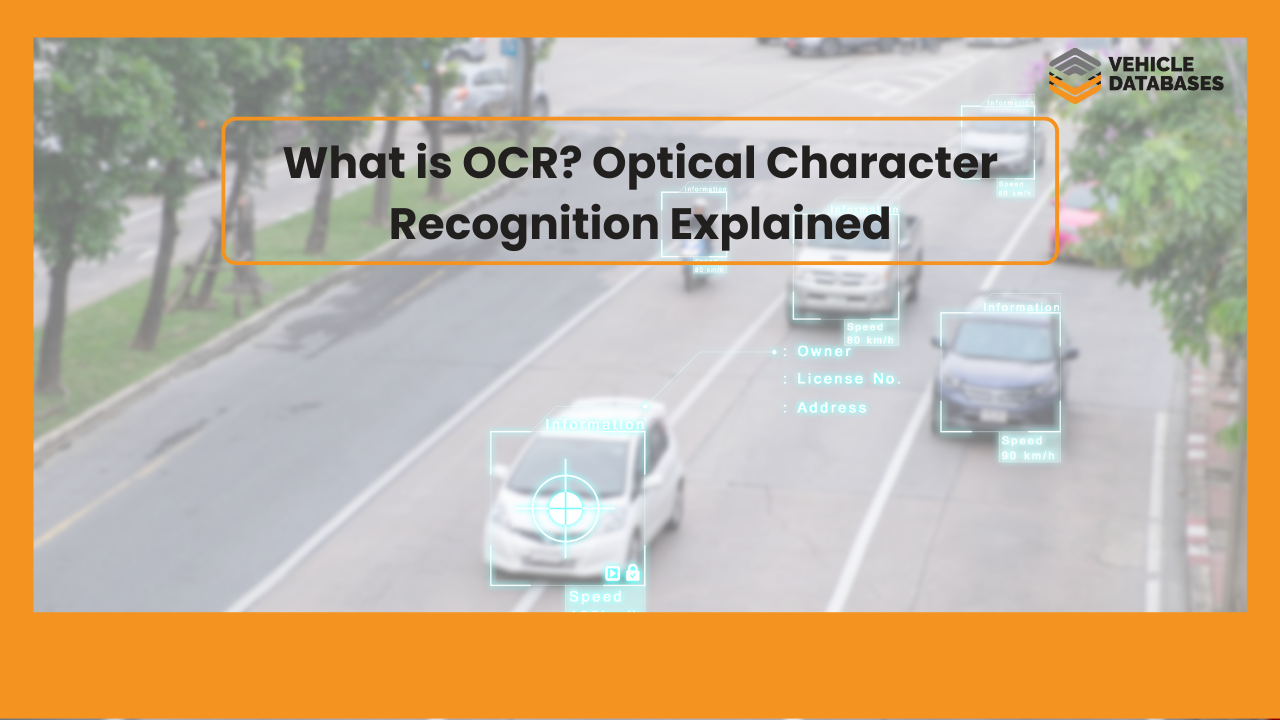
Parking garages, toll booths, and law enforcement systems rely on OCR to read license plates from camera footage in real time, enabling automatic gate access, toll billing, and vehicle tracking without a person involved at each checkpoint.
4. Accessibility tools
Screen readers and assistive technology use OCR to convert printed text, signage, or on-screen content into speech, giving visually impaired users access to information that would otherwise require sighted assistance.
5. Banking
Financial institutions use OCR to process checks, reading the printed account and routing numbers along with the handwritten amount, and to extract data from scanned financial documents during account setup or loan processing.
6. ID and passport verification
Airports, border checkpoints, and check-in kiosks use OCR to instantly extract and validate the data printed on IDs and passports, speeding up identity verification while reducing manual review.
OCR in the Automotive Industry
The automotive space has become one of the more active users of OCR sofware. VIN scanning is the most common example
For instance, a phone camera or dedicated scanner can automatically read a 17-character VIN from a dashboard plate, door jamb sticker, title document, or barcode, eliminating manual entry and the errors that come with it.
An example of OCR implementation is Detailed Vehicle History, whose VIN decoder app uses the OCR API to recognize VIN and license plate numbers from images and cameras, making the app easier for users to use.
License plate OCR follows a similar principle, letting dealerships, insurers, and law enforcement pull vehicle information instantly from a photo of a plate.
For a deeper look at VIN-specific scanning, see our guide on VIN barcode and OCR scanning.
OCR for Car Title Processing
One of the more specialized, high-value applications of OCR technology in the automotive industry is car title OCR.
A vehicle title is a dense, standardized-but-inconsistent document — it includes the VIN, owner name, lienholder information, title brand status (salvage, flood, rebuilt), issue date, and odometer disclosure, often in a layout that varies by state.
OCR car title processing works by scanning a photo or scan of the title document and extracting each of these fields automatically, rather than requiring a human to read and manually key in every value. For dealerships, title processing companies, DMV-adjacent services, and lenders that handle large volumes of titles, this shift matters a lot.
Here’s what it typically looks like to process car titles with OCR:
- A photo or scan of the title is uploaded through an app, dashboard, or API integration
- The OCR engine locates and isolates key fields — VIN, owner name, lienholder, title brand, issue date, odometer reading
- Extracted data is returned in structured, machine-readable format (typically JSON)
- That data flows directly into inventory systems, loan processing tools, or compliance workflows without manual re-entry
Automated car title processing with OCR cuts down significantly on the time and error rate that comes with manually reviewing and transcribing titles one at a time, which is especially valuable for high-volume operations like title companies, auto lenders, and large dealership groups processing dozens or hundreds of titles a day.
Top Benefits of OCR Technology
When it’s put in properly, OCR technology can give businesses real advantages over manual document handling, especially for businesses that move through a lot of paperwork on a regular basis. Some benefits are:
Faster data entry
Typing details from a document by hand can take minutes per page, while OCR turns the same file into organized, usable data in just a few seconds. For a company dealing with hundreds or thousands of documents each month, that speed difference… well it stacks up, and time savings can become pretty obvious.
Fewer errors
Manual transcription is just kinda naturally error-prone. You have tired eyes, messy handwriting, and small typos that creep in over time. A good OCR engine uses the same recognition logic again and again across each document, so error rates are usually lower and more consistent than entry done purely by people, especially when the source text is clean and structured.
Easier search and retrieval
A scanned image is just a picture as far as a computer is concerned. You can’t search it for a name, date, or keyword. Once that image is processed through OCR, the extracted text becomes fully searchable and indexable, so finding one record among thousands becomes a quick lookup instead of a manual search.
Cost savings at scale
Every hour spent on repetitive manual input is basically paid labor that could be automated. This adds up fast in high-volume streams, including car title processing, invoice handling, and claims documentation. In many cases OCR can reduce staffing pressure, or at least free teams up for work that’s more valuable.
Limitations of OCR Technology
Even with all those strengths, OCR software isn’t perfect, and it helps to know where it tends to trip up, before you design a workflow that relies completely on it. Some of these limitations are:
Image quality
OCR accuracy is only as good as the image it is working from. Blurry photos, bad lighting, low resolution, or heavy shadows can all lead the engine to misread, or in some cases just skip, certain characters entirely. That’s why how you capture the image matters as much as the OCR engine itself, maybe more.
Unusual fonts or handwriting
Basic OCR systems, the ones that rely on pattern matching, are usually trained around normal printed fonts. So they can easily stumble on stylized typefaces, decorative letterforms, or actual handwriting.
More advanced Intelligent Character Recognition, or ICR, systems, which use machine learning, handle this better. Still, they aren’t fully bulletproof, especially when the handwriting is inconsistent, messy, or has uneven spacing.
Non-standard layouts
Documents with multiple columns, embedded tables, or inconsistent formatting can confuse simpler OCR systems, which may read text out of order or merge unrelated fields together. This is a real challenge with documents like state-specific title forms, where layout and field placement vary from one state to the next.
Language and character set limits
Not every OCR engine is built to recognize every language, alphabet, or character set out of the box. If a business deals with multilingual documents, it should confirm its OCR provider truly supports the particular languages and character sets it will encounter, not just “general” coverage.
How Businesses Use OCR APIs
Most businesses today don’t run OCR through a standalone desktop tool. Instead, they integrate it through an OCR system delivered as an API, plugging directly into their existing software.
A request comes in with an image (a title, a VIN, a receipt, an invoice), and the API returns clean, structured data in return, ready to flow into whatever system needs it.
This model shows up across industries — fintech, healthcare, logistics — but automotive businesses have some of the most specific needs: reading VINs from stickers and dashboards, extracting license plate numbers from photos, and, as covered above, pulling structured data out of car titles automatically.
If you’re evaluating options, our guide to the best OCR API services breaks down several providers, and our own OCR API is built specifically around these automotive use cases, including VIN OCR, license plate OCR, and document extraction.
Final Thoughts on Optical Character Recognition
At its core, OCR comes down to this: it’s the technology that turns static images into usable, searchable, editable data.
From basic pattern-matching to machine-learning-driven ICR, different types of OCR technology are suited to different jobs, and in the automotive world, that ranges from reading a VIN off a dashboard to fully automating car title processing with OCR.
If your business is manually keying in data from titles, VINs, or license plates, it’s worth exploring how an OCR API can eliminate that bottleneck. Check out our OCR API to see how it fits into VIN scanning, license plate recognition, and car title processing workflows.
FAQs on OCR Technology
What Is OCR And How Does OCR Work?
An OCR engine or software converts printed documents into digital image files. It uses automation to transform scanned documents into machine-readable PDFs that can be edited and shared.
What factors impact the OCR accuracy?
Image preprocessing procedures like binarization, noise reduction, and contrast adjustment can significantly impact the accuracy of an OCR solution. External factors like lighting conditions and scanner stability can also influence accuracy.
What types of OCR does VehicleDatabases offer?
Vehicledatabases provides the OCR scanning API, which can be integrated into applications and software to scan VIN and license plate numbers from images. Similar vehicle data APIs, including the VIN decoding API and License plate API, are provided by Vehicledatabases.
Is OCR the same as AI?
Not exactly. Basic OCR relies on pattern matching rather than learning. More advanced forms, like Intelligent Character Recognition (ICR), do use machine learning to improve accuracy, especially with handwriting, but “OCR” as a category is broader than any single AI technique.
How accurate is OCR technology?
Accuracy of OCR technology depends heavily on image quality, document structure, and which type of OCR engine is used. Clean, printed, structured documents are read very accurately, while blurry images, handwriting, or unusual layouts reduce accuracy unless a more advanced ICR-based system is used.
Can OCR read handwriting?
Yes, OCR can read handwriting. Note that basic OCR generally struggles with handwriting. Intelligent Character Recognition (ICR), on the other hand, is a more advanced offshoot of OCR trained with machine learning and is specifically built to handle handwritten and less predictable text more reliably.
Can OCR read handwriting?
Banking, healthcare, logistics, government/ID verification, and automotive are among the heaviest users of OCR, with automotive applications spanning VIN scanning, license plate recognition, and car title processing.